
Building a RAG store with Entity Framework
How to build a vector store by using a popular object relational maper in .NET.

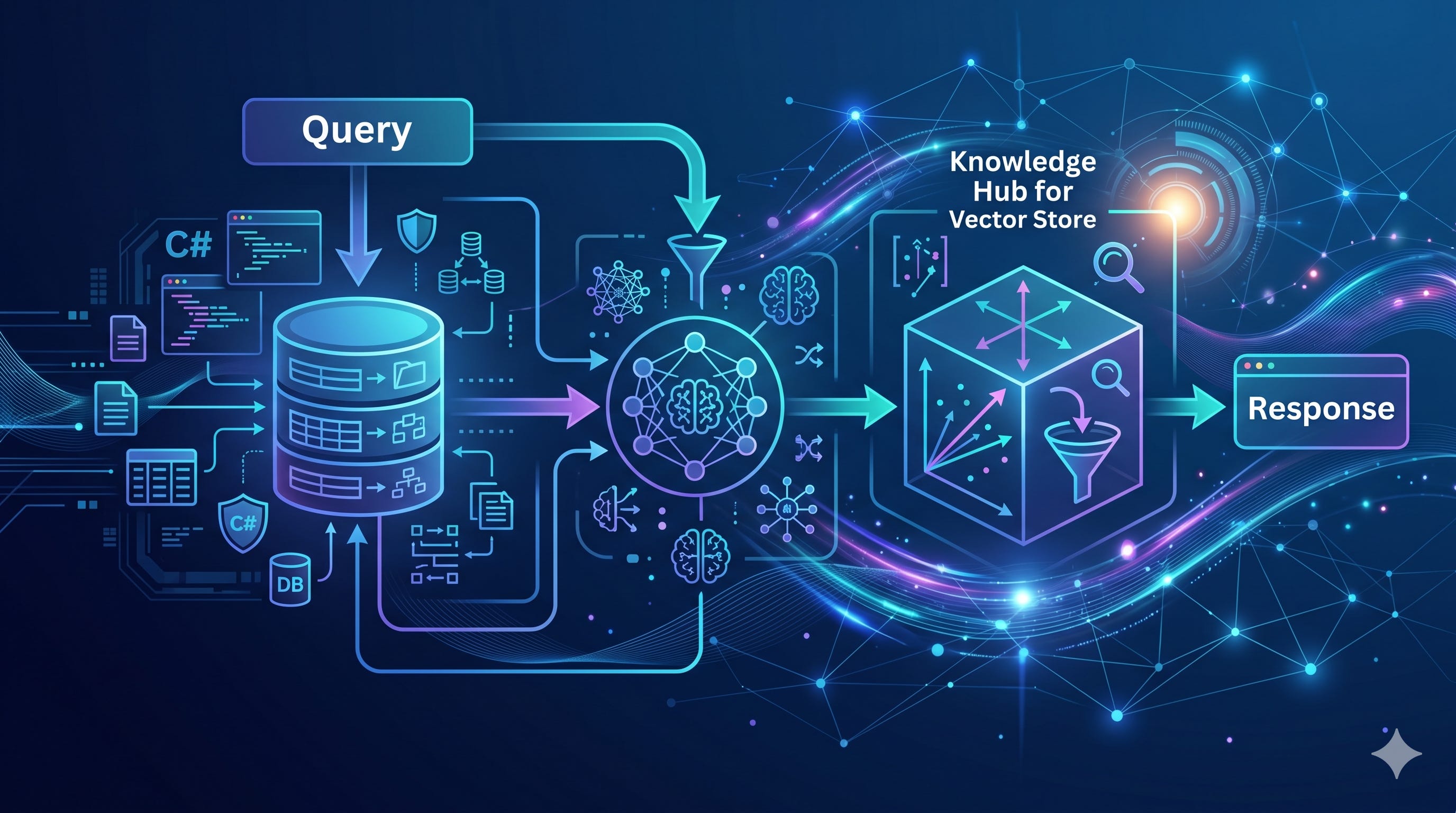
On its own, an LLM doesn’t know everything, especially if you want to use it inside your own proprietary business system. It couldn’t have been trained on your confidential data. And even if it could have been, the data it would have been trained on would quickly become outdated. The accuracy of the answers from the LLM will diminish over time. Therefore, on their own, LLMs are decent generalists, but awful specialists.
A general-purpose LLM can explain C#, summarize a legal clause, or write a polite email. But it doesn’t automatically know your internal documentation, your product catalogue, your support tickets, your architecture decisions, your customer records, or the latest version of your policies. And even when the answer exists somewhere in your organization, the model cannot magically retrieve it unless you give it a way to find the right information at the right time.
This is where Retrieval-Augmented Generation, or RAG, comes in.
The idea behind RAG is simple: instead of expecting the model to know everything, we retrieve relevant pieces of information from an external knowledge store and include them in the prompt. The model then uses that retrieved context to generate a more accurate, grounded answer.
But to make this work, we need somewhere to store and search that knowledge.
That “somewhere” is often called a vector store.
A vector store is a database optimized for storing and searching embeddings. An embedding is a numerical representation of a piece of text, image, audio, or some other data. Texts with similar meanings end up with similar vectors, which means we can search by meaning rather than by exact keywords.
Previously, we talked at length about how embeddings are used to encode meaning and how they are used in RAG. This time, we will talk about how such data is stored. In particular, we will cover how to build such a store in .NET by using EF Core.
But before we continue, I have an announcement to make. Those who have been following me for a while would know that I published a course on Event-driven Agentic AI on Pluralsight. Well, my course happened to become more popular than I expected and reached the top 2% in popularity across the whole platform! It has proven to be a hot topic. If you are curious why it is, you should check it out.
Secondly, there’s another course I published recently, which is directly related to the subject of this article. Modeling and Relationships with EF Core 10 talks about the most important aspect of EF Core — the nuances of mapping it to real enterprise databases. This knowledge is absolutely essential if you use EF Core for production software, especially if you work with legacy enterprise databases.
Now, back to the vector stores. I would assume you already know the basics of EF Core, as those are out of scope for this article. If you don’t, you can find the documentation here.
Vector databases and EF Core
There is a lot of excitement around dedicated vector databases, and in many cases, they are useful. But not every application needs a separate piece of infrastructure just to store embeddings. If your system already uses PostgreSQL, SQL Server, or Azure SQL, you may be able to build a perfectly practical RAG store inside your existing relational database.
Even better, you can manage it with the tools you probably already know, such as EF Core.
This is useful because real-world AI systems are rarely just vector search with an LLM. They also need users, permissions, tenants, documents, metadata, audit logs, soft deletes, versioning, and transactions. These are exactly the kinds of problems relational databases and ORMs are already good at solving.
So instead of treating a vector store as something mysterious or separate from normal application development, we can treat it as another part of our data model.
In this article, we’ll build a simple RAG store using Entity Framework. We’ll look at how to store document chunks, generate embeddings, save them in the database, and retrieve the most relevant chunks using vector similarity search.
RAG store fundamentals
As of EF Core 10, SQL Server/Azure SQL support vector columns via SqlVector<float> and similarity search through EF.Functions.VectorDistance(...). Microsoft’s docs explicitly call out this use case for semantic search and RAG. PostgreSQL is also a strong option via pgvector, which supports exact and approximate nearest-neighbor search, cosine/L2/inner-product distance, HNSW/IVFFlat indexes, and storing vectors with relational data.
The basic RAG store shape
A RAG store usually needs a table represented like this in EF Core:
public sealed class RagChunk
{
    public Guid Id { get; set; }

    public Guid DocumentId { get; set; }

    public int ChunkIndex { get; set; }

    public required string Content { get; set; }

    public string? Source { get; set; }

    public string? MetadataJson { get; set; }

    public DateTime CreatedUtc { get; set; } = DateTime.UtcNow;

    public required Vector Embedding { get; set; }
}
For PostgreSQL + pgvector, the model and the whole DB context would look like this:
using Microsoft.EntityFrameworkCore;
using Pgvector;
using Pgvector.EntityFrameworkCore;
using System.ComponentModel.DataAnnotations.Schema;

public sealed class RagChunk
{
    public Guid Id { get; set; }

    public Guid DocumentId { get; set; }

    public int ChunkIndex { get; set; }

    public required string Content { get; set; }

    public string? Source { get; set; }

    [Column(TypeName = "vector(1536)")]
    public required Vector Embedding { get; set; }
}

public sealed class RagDbContext : DbContext
{
    public DbSet<RagChunk> Chunks => Set<RagChunk>();

    public RagDbContext(DbContextOptions<RagDbContext> options)
        : base(options)
    {
    }

    protected override void OnModelCreating(ModelBuilder modelBuilder)
    {
        modelBuilder.HasPostgresExtension("vector");

        modelBuilder.Entity<RagChunk>()
            .HasIndex(c => c.DocumentId);

        modelBuilder.Entity<RagChunk>()
            .HasIndex(c => c.Embedding)
            .HasMethod("hnsw")
            .HasOperators("vector_cosine_ops")
            .HasStorageParameter("m", 16)
            .HasStorageParameter("ef_construction", 64);
    }
}
Pgvector.EntityFrameworkCore works with EF Core 9 and 10, enables the Postgres vector extension, maps Vector properties, and supports LINQ ordering by vector distance.
Once we added this basic structure, here’s how it can be registered in the DI:
builder.Services.AddDbContext<RagDbContext>(options =>
{
    options.UseNpgsql(
        builder.Configuration.GetConnectionString("RagDb"),
        npgsql => npgsql.UseVector());
});
That’s it for setting up our vector store. Now, let’s see how we can ingest data into it.
Ingest documents
The ingestion flow is this:
Split documents into chunks.
Generate one embedding per chunk.
Store chunk text, metadata, and embedding through EF.
Here’s how it can be implemented:
public interface IEmbeddingService
{
    Task<float[]> EmbedAsync(string text, CancellationToken cancellationToken = default);
}

public sealed class RagIngestionService
{
    private readonly RagDbContext _db;
    private readonly IEmbeddingService _embeddings;

    public RagIngestionService(RagDbContext db, IEmbeddingService embeddings)
    {
        _db = db;
        _embeddings = embeddings;
    }

    public async Task AddDocumentAsync(
        Guid documentId,
        string source,
        string text,
        CancellationToken cancellationToken = default)
    {
        var chunks = ChunkText(text, maxChars: 1_500, overlap: 200);

        for (var i = 0; i < chunks.Count; i++)
        {
            var embedding = await _embeddings.EmbedAsync(chunks[i], cancellationToken);

            _db.Chunks.Add(new RagChunk
            {
                Id = Guid.NewGuid(),
                DocumentId = documentId,
                ChunkIndex = i,
                Content = chunks[i],
                Source = source,
                Embedding = new Vector(embedding)
            });
        }

        await _db.SaveChangesAsync(cancellationToken);
    }

    private static List<string> ChunkText(string text, int maxChars, int overlap)
    {
        var chunks = new List<string>();
        var position = 0;

        while (position < text.Length)
        {
            var length = Math.Min(maxChars, text.Length - position);
            chunks.Add(text.Substring(position, length));

            position += maxChars - overlap;
        }

        return chunks;
    }
}
Here’s how this data can then be retrieved:
public sealed record RagSearchResult(
    Guid ChunkId,
    Guid DocumentId,
    string Content,
    string? Source,
    double Distance);

public sealed class RagRetrievalService
{
    private readonly RagDbContext _db;
    private readonly IEmbeddingService _embeddings;

    public RagRetrievalService(RagDbContext db, IEmbeddingService embeddings)
    {
        _db = db;
        _embeddings = embeddings;
    }

    public async Task<IReadOnlyList<RagSearchResult>> SearchAsync(
        string query,
        int topK = 5,
        CancellationToken cancellationToken = default)
    {
        var queryEmbedding = new Vector(
            await _embeddings.EmbedAsync(query, cancellationToken));

        return await _db.Chunks
            .AsNoTracking()
            .OrderBy(c => c.Embedding.CosineDistance(queryEmbedding))
            .Take(topK)
            .Select(c => new RagSearchResult(
                c.Id,
                c.DocumentId,
                c.Content,
                c.Source,
                c.Embedding.CosineDistance(queryEmbedding)))
            .ToListAsync(cancellationToken);
    }
}
Then you pass the retrieved chunks into your LLM prompt:
var hits = await ragRetrieval.SearchAsync(userQuestion, topK: 5);

var context = string.Join(
    "\n\n---\n\n",
    hits.Select(h => $"Source: {h.Source}\n{h.Content}"));

var prompt = $"""
Use the following context to answer the question.
If the answer is not in the context, say you do not know.

Context:
{context}

Question:
{userQuestion}
""";
SQL Server / Azure SQL version
With EF Core 10 and SQL Server/Azure SQL, the entity would use SqlVector<float>:
using Microsoft.Data.SqlTypes;
using System.ComponentModel.DataAnnotations.Schema;

public sealed class RagChunk
{
    public Guid Id { get; set; }

    public required string Content { get; set; }

    [Column(TypeName = "vector(1536)")]
    public required SqlVector<float> Embedding { get; set; }
}
The query would look like this:
var queryVector = new SqlVector<float>(
    await embeddingService.EmbedAsync(question, cancellationToken));

var chunks = await db.Chunks
    .OrderBy(c => EF.Functions.VectorDistance("cosine", c.Embedding, queryVector))
    .Take(5)
    .ToListAsync(cancellationToken);
SQL Server 2025 also has vector indexes and VECTOR_SEARCH(), but Microsoft currently labels those EF APIs as experimental, so I would use exact search first and add approximate search when scale requires it.
When EF is a good RAG store
EF + a relational database is a good fit when:
Your app already uses SQL Server or PostgreSQL.
You want chunks, users, permissions, tenants, audit records, and embeddings in one transactional system.
You need metadata filtering, joins, soft deletes, versioning, and migrations.
Your corpus is small to medium, or your database supports vector indexes.
It may not be the best choice when you need a very large-scale ANN search, ultra-low latency across millions or billions of vectors, or specialized vector-database features. But for many .NET business apps, EF Core + pgvector or EF Core + Azure SQL/SQL Server vector support is enough to build a practical RAG backend.
Wrapping up
Everyone is talking about how they use agentic AI for coding, and it’s all getting quite boring. As if there aren’t any more interesting use cases for agentic AI!
Well, there are! There are plenty. Companies are doing interesting things with it, like automating their workflows, triaging incidents without waking on-call engineers up, etc. In the next article, I will talk about some of these use cases from real projects, so stay tuned! You’ll be surprised!
On another note, for my paid members, I am currently doing a series of articles that, together, are designed to act as a complete and fully comprehensive course on AI engineering skills. Each article covers a particular topic in depth and has a hands-on lab.
You won’t just try to remember theory. You will practice it. And what you practice becomes the actual skills you will be able to apply in real projects, not just some theoretical knowledge you won’t be able to apply!
We already have the following topics:
In the next issue, we will build an advanced AI agent, complete with systems prompts, guardrails, tools, and skills.